

Magic Lens Photo Media · Real Estate Media
“Can you deliver it in 4K?” is a reasonable question, but it leaves much of a real estate video order undefined. A high-resolution file may still be the wrong shape for its destination, contain branding that does not belong in a particular placement, or omit the version your social editor needs.
Before ordering a property video, specify how it will be used. For an Orlando listing agent, a short delivery checklist can make that conversation more useful than comparing resolution labels alone.
Give every version a destination
List the places where the video is expected to appear: the property website, an agent’s social account, a listing platform or a presentation to the seller. Then identify what each placement is supposed to accomplish.
A website film may explain the property in a longer sequence. A vertical social piece may focus on one feature. An agent presentation may need a different opening or branding treatment. Do not assume that each is automatically included because the quote contains the word video.
Agree on orientation before filming
Horizontal and vertical frames organize a room differently. The important relationship between an island and a living area may fit comfortably in a wide frame and disappear in a narrow crop. Planning separate compositions can be more useful than trying to rescue every placement from one version later.
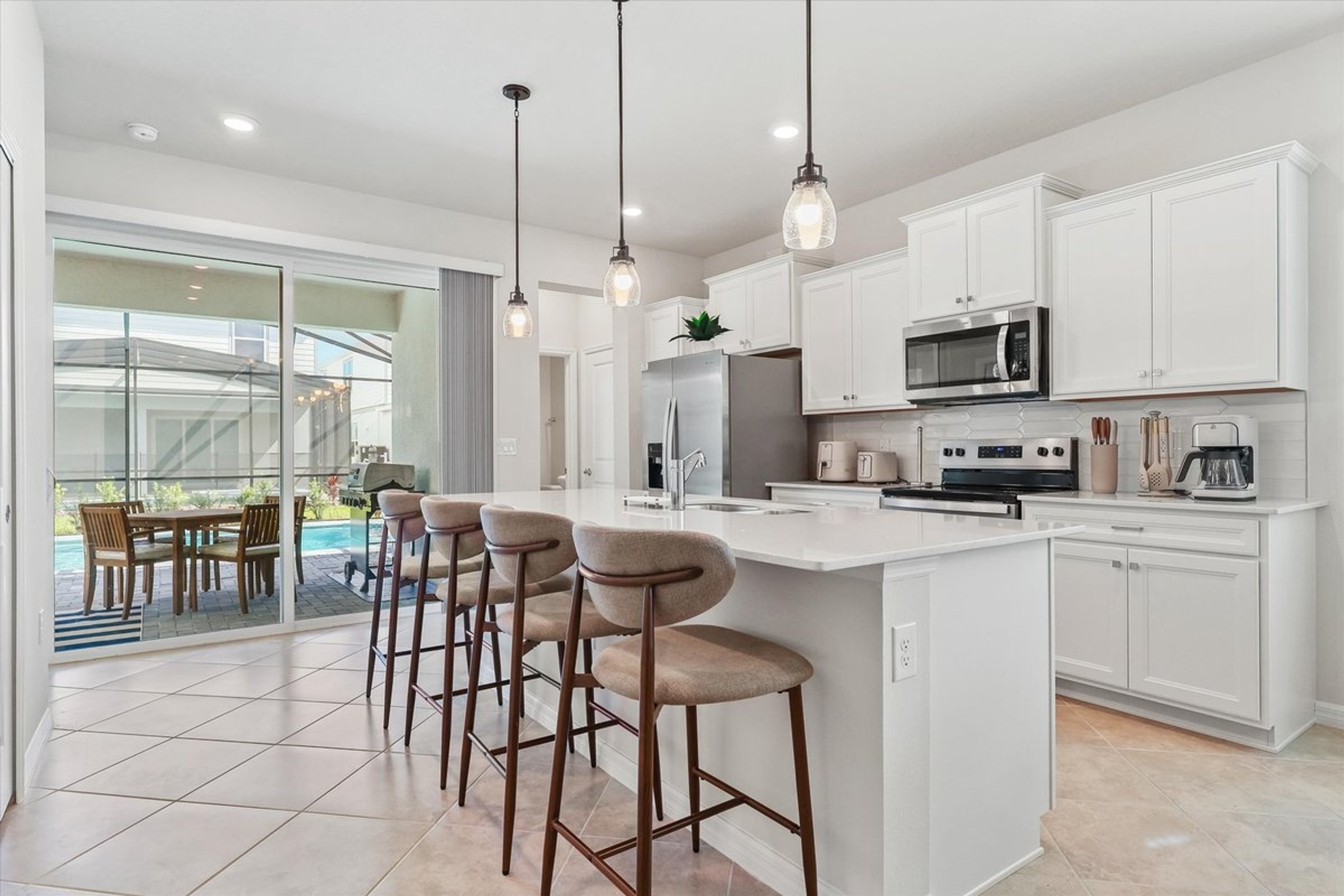
The photograph below shows a wide view of a Windsor Cay kitchen and its connection to the covered patio. It is a still-image example of a composition question, not a 4K video frame or a demonstration of crop quality.
Tell the videographer which orientations matter before the session. If one is the priority and another is optional, say so. The quote can then describe what will be captured and delivered.
Separate capture, master file and uploaded playback
Recording settings, the delivered file and the version a platform shows viewers are different stages. Ask which deliverable the resolution description refers to. Also ask how you will receive the original delivered file and which version should be used for each destination.
Higher pixel dimensions do not fix an unclear route through the home, an awkward composition or a rushed edit. Nor do they establish that an international buyer will discover the listing. Choose the story first; use the technical specification to support its intended presentation.
Use a delivery matrix
Complete one row for each requested version. This example is a planning tool, not a list of deliverables included in every Magic Lens package.
Property website
Define: full overview, orientation and intended player.
Confirm: branding, file dimensions, text and recipient.
Social placement
Define: one feature, intended account and screen shape.
Confirm: dedicated framing, captions, ending and upload owner.
Listing placement
Define: the specific platform and submission method.
Confirm: current branding and file requirements with its manager.
- Destination: The website, platform or account where this version will appear.
- Purpose: Full property overview, one-feature social piece or another defined use.
- Orientation: The composition required for that placement.
- Branding: Whether agent information, logos or contact details should appear.
- Text and audio: Captions, spoken information, music and any version intended for silent viewing.
- Delivery: Agreed file specifications, access method and responsible recipient.
- Review: Who checks property facts and how requested changes are handled.
Check the receiving platform’s current requirements with the person managing that placement. Avoid assuming that one set of branding or upload requirements applies everywhere.
Define the revision before requesting it
A factual correction, a shorter cut and a new orientation are different requests. Agree on the intended review process and included versions when confirming the scope. If the marketing plan changes after filming, ask what can be achieved with the material already captured.
Keep feedback tied to a scene or timestamp. “The outdoor connection is unclear after the kitchen shot” gives the editor a specific problem to address. “Make it more premium” does not explain which part of the presentation is failing.
Inspect the uploaded version
- Open the intended delivery file and confirm it is the correct version.
- Check text, spelling, property facts and the ending.
- Upload to the intended destination using the appropriate file.
- Review the result on a phone and a larger screen where relevant.
- Check cropping, readability, sound and the destination of any next-step link.
Retain the delivered files and a record of the versions you approved. Forward the original delivery link or file to collaborators rather than replacing it with a screen recording.
Decide the format, then brief the delivery
If you are still deciding whether the listing needs video, start with the cinematic property-video guide and the media package guide. This checklist is for the next step: ordering versions you know how to use.
Send your listing link and intended placements to discuss video coverage and delivery. The agreed quote should define the versions, specifications and scope for your project.
Give your next shoot a clear brief.
Send the property link, three priorities and the places where the media will appear.